Software that touches the physical world
Control real devices, reverse-engineer legacy protocols and ship native apps. Safety gates on anything that actuates.
Silent Sentinel: a live operator console for real cameras
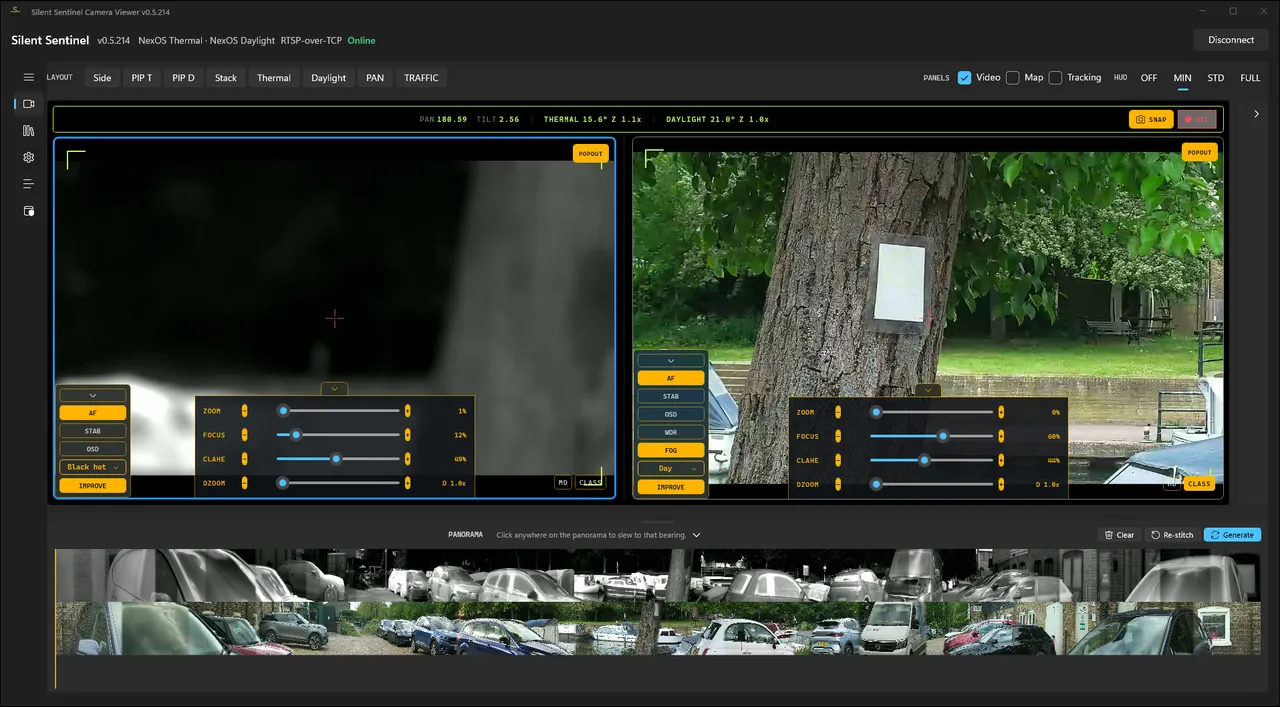
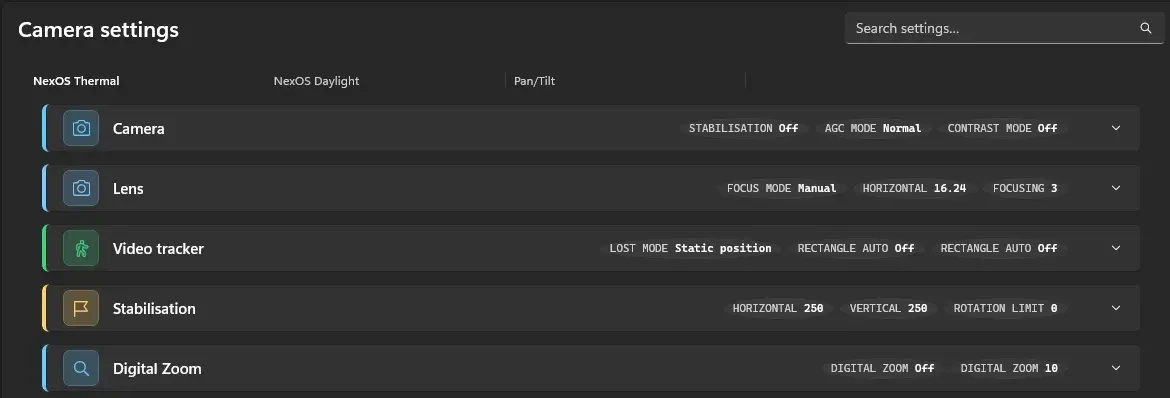
A WinUI 3 desktop console running today on real cameras. It speaks the manufacturer's own control protocol directly: no SDK, no vendor app. The camera can acknowledge a setting it didn't apply, so the console re-reads the ones that matter.
- Protocol operations
- 88 operations (the subset the console drives) generated from the vendor's protocol document, plus device behaviour it doesn't describe
- Cameras it runs against
- Six real units on the last network sweep. Drives one at a time and detects each one's firmware generation
- Write safety
- Where the screen must match the hardware (stabilisation, profile, overlay), the setting is re-read off the camera to confirm it landed
- Default posture
- Read-only. Connecting writes nothing, and nothing moves until an operator asks
- Secrets at rest
- Saved connection profiles and assistant secrets encrypted with the operating system's key store
- Automated tests
- Around 2,600 on the console and around seventy on the imaging engine
Several feeds aligned into one continuous view.
Mertens exposure fusion for high-contrast and low-light scenes.
A coordinator and scene classifier rank candidates on a live feed.
Stitching, HDR and tracking are built and exercised on the live feed, but not yet in the console's day-to-day production path.
Got a device, protocol or fleet that needs a safe control surface? Find out what's possible.
No commitment and no fixed quote until it is scoped. If we go further, you own what we build.
Smart buildings and native apps
Sonos, Samsung, Ring, Hive, Tuya and Alexa in one control plane and voice surface. Over a hundred devices, proven on a real installation MAST runs day to day.
One backend contract, native clients on both sides: a Windows desktop app and an iOS/Mac app from the same protocol, deployed through a remote build pipeline with no local Xcode.
From protocol to a safe, working console
- 01
Protocol audit
Use the vendor spec where one exists, work out the rest on the device, list the operations needed.
- 02
Verified build
Read-only by default. Settings that must be right are read back off the device.
- 03
Live integration
Build and test on your real devices.
- 04
Maintain
When the vendor changes firmware, the console is kept working.
What stops the software from actuating something by accident?
Connections open read-only. Settings known to break a deployment sit behind a named destructive-path list and a typed confirmation. Custom command buttons can be armed to need a second deliberate action. And since this camera can acknowledge a setting it didn't apply, the ones that matter are read back off the device.
Do you need the vendor's documentation to integrate a device?
Not always. The camera had a vendor protocol document but no SDK. The catalogue was generated from that document, then the gaps were worked out on the hardware. Where a device also speaks an industry standard, it gets used: this console falls back to ONVIF for basic movement when the manufacturer's protocol won't serve.
Can the same system run on Windows and mobile?
Yes. One backend contract, native clients per platform, and an iOS/Mac build pipeline run from Windows through a remote build step.
Tell us which job eats your week. In half an hour you will know whether an agent is worth building for it.
No commitment and no fixed quote until it is scoped. If we go further, you own what we build.